Get Started with Nano Banana 2 in 5 Minutes: A Cheat Sheet for Perfect Image Prompts
Nano Banana 2, officially launched by Google DeepMind on November 20, 2025, serves as the visual core of the Gemini 2.5 ecosystem. Its arrival marks a new era for AI image generation and editing, defined by high-fidelity and highly controllable outputs.In this guide
Following the buzz created by the original Nano Banana (Gemini 2.5 Flash Image) in August 2025, the Google team released this 2.0 version to address common AI art flaws like anatomical errors, text distortion, and style inconsistencies. Its goal is clear: to help every user, regardless of their background, effortlessly generate images of cinematic quality.
Say No to Glitchy Art! The Ultimate Nano Banana 2 Prompt Guide You'll Ever Need
We've recently received numerous messages from fans saying that despite the hype around Nano Banana 2, their generated images often look like an "abstract nightmare," plagued by various "broken" details. To help you overcome these hurdles, our editor has compiled this "foolproof" guide based on official Google documentation and expert community cases.
Before we delve into the "magic," let's review the most common mistakes users make when trying to go from AI art beginner to master:
- Anatomical Errors (The Uncanny Valley): The person looks beautiful, but on closer inspection, they have six fingers or their limbs are awkwardly twisted.
- Text-to-Image Mismatch: You request a "cyberpunk night view" but get a "bright, cheerful cartoon."
- Missing Details: You explicitly asked for a "cat wearing sunglasses," but the cat is there, and the sunglasses are missing.
- Text Generation Gibberish: You want to generate an accurate Slogan within the image, but the result is a stream of unreadable alien symbols.
If you've experienced any of the above, rest assured: it's not the model, it's the lack of specific visual direction in your Prompt. The following sections will teach you the 5 Golden Rules to get Nano Banana 2 to obey your commands and thoroughly eliminate "broken" art.
What is Nano Banana 2?
Before diving into the 5 Golden Rules, let's clarify the role of this "protagonist." Nano Banana 2 is Google's latest AI Image Generation and Editing Model.
Compared to Midjourney or other competitors, Nano Banana 2 possesses three core advantages, which are the foundation for generating cinematic quality results:
- Precise Semantic Understanding (Prompt Adherence): It adheres to details in the prompt with high fidelity, even in complex scenario descriptions.
- Native Text Rendering: It solves a major problem in the AI art community—it can generate clear, correctly spelled text within the image (e.g., poster titles, logos).
- Conversational Editing: After generating an image, you can directly instruct it, "change the background to blue" or "add a hat," without needing to regenerate the entire picture.
The 5 Golden Rules for Nano Banana 2 Prompts (Cheat Sheet)
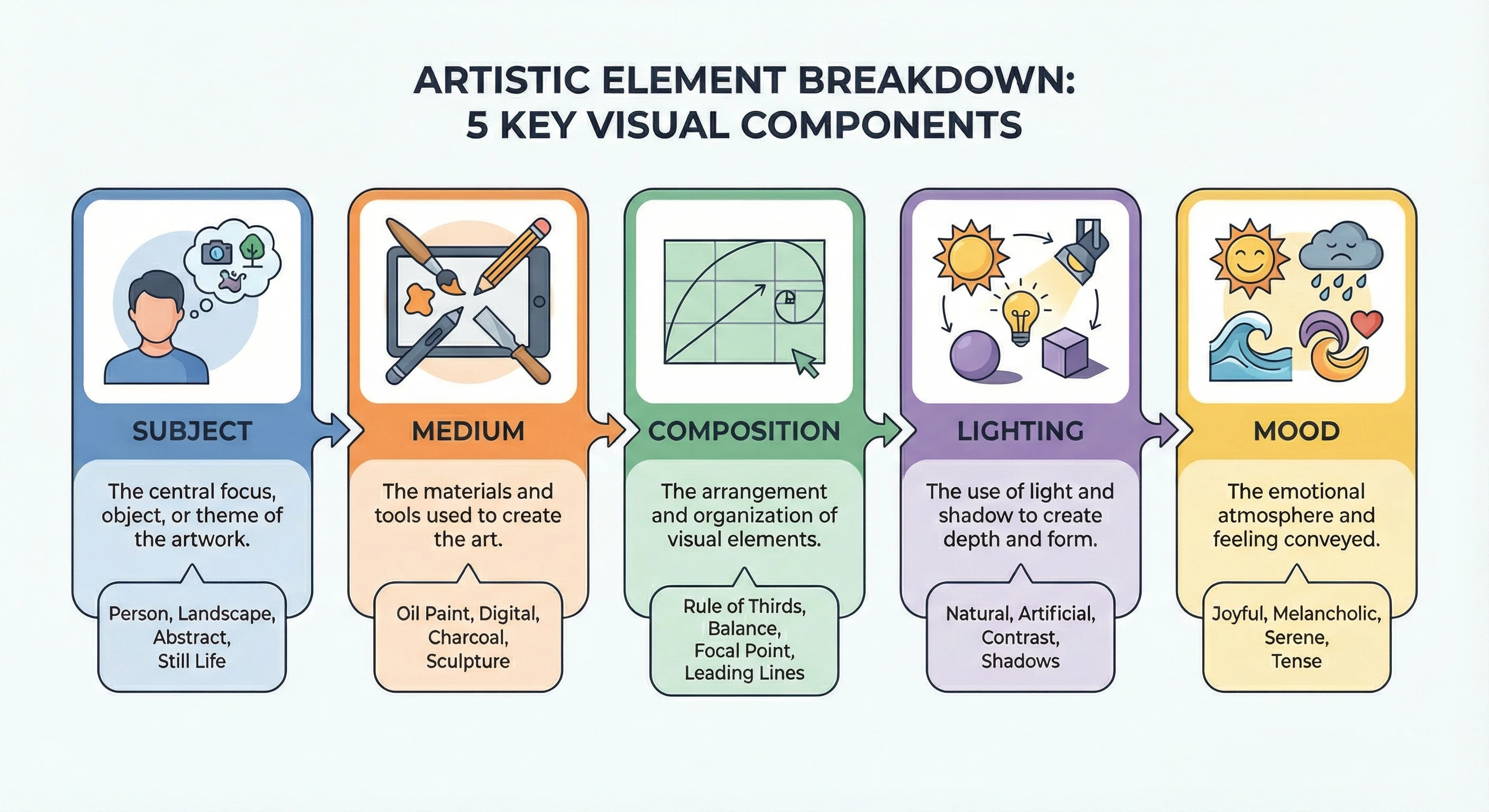
Nano Banana 2 produces cinematic quality masterpieces, you can't just throw in a few simple nouns. According to Google's official recommendations, a perfect prompt that transforms you from beginner to master should contain these 5 core visual elements.
-
Subject (The Star)
This is the main focus of your image. The more specific the description, the better.
- ❌ Rookie Mistake: "A girl."
- ✅ Nano Banana 2 Pro-Tip: "A 20-year-old Asian cyberpunk-style girl with short silver hair, wearing glowing mechanical armor..."
-
Medium & Style (The Vibe)
Do you want a photograph, an oil painting, a 3D render, or a sketch?
- Commands: "Photorealistic photograph," "Pixar style 3D render," "Ink wash painting."
-
Composition & Viewpoint (The Framing)
Determines the camera angle and perspective of the shot.
- Descriptions: "Wide angle lens," "Extreme close-up," "Aerial view," "Centered composition."
-
Lighting & Color (The Atmosphere)
Lighting is crucial for creating cinematic quality texture and mood.
- Requests: "Neon lighting (Cyberpunk)," "Soft natural light," "Cinematic side lighting," "Golden hour warm tones."
-
Modifiers & Quality (The Polish)
Add "magic words" to elevate the overall look and completely eliminate glitches.
- Magic Words: "4k resolution," "Highly detailed," "Unreal Engine 5," "Epic scale," "Minimalist."
Nano Banana 2 Practice: The Beginner-to-Master Transformation
Let's combine the 5 Golden Rules to see the massive visual difference when inputting different instructions into Nano Banana 2.
😩 Bronze-Tier Prompt (Beginner's Style):
"Draw a dog drinking coffee."
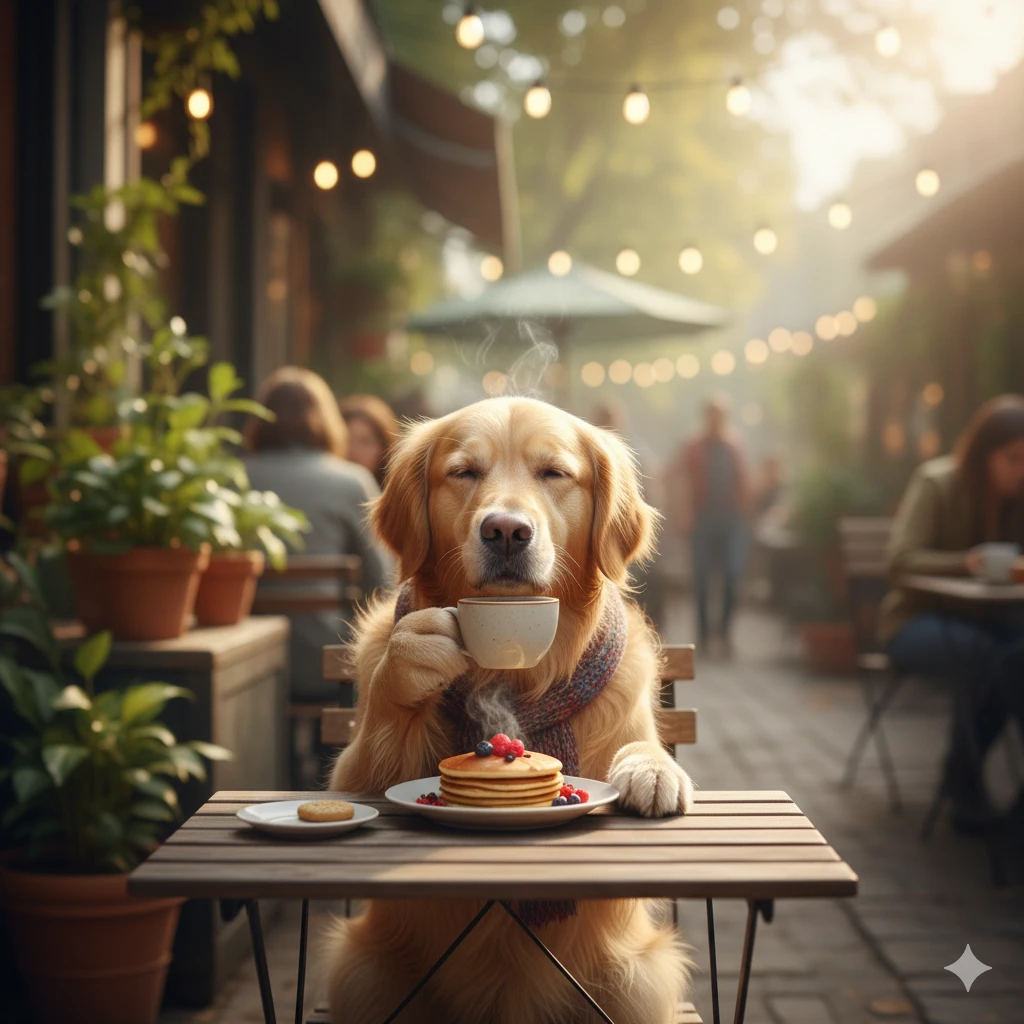
Result:Nano Banana 2 might produce a simple cartoon image, perhaps with the dog's paws holding the cup in a strange way—a typical **"broken" image**.
👑 King-Tier Prompt (Expert Style):
"An extremely photorealistic product photograph (Medium). The main subject is a French Bulldog wearing a sharp suit (Subject), sitting elegantly at a Parisian street café, holding a steaming espresso (Action/Detail). The background features a blurred Eiffel Tower and autumn leaves (Composition/Background). The lighting is golden morning sunlight, highlighting the dog's fur texture (Lighting). 4k resolution, cinematic depth of field, fashion magazine style (Modifiers/Quality)."
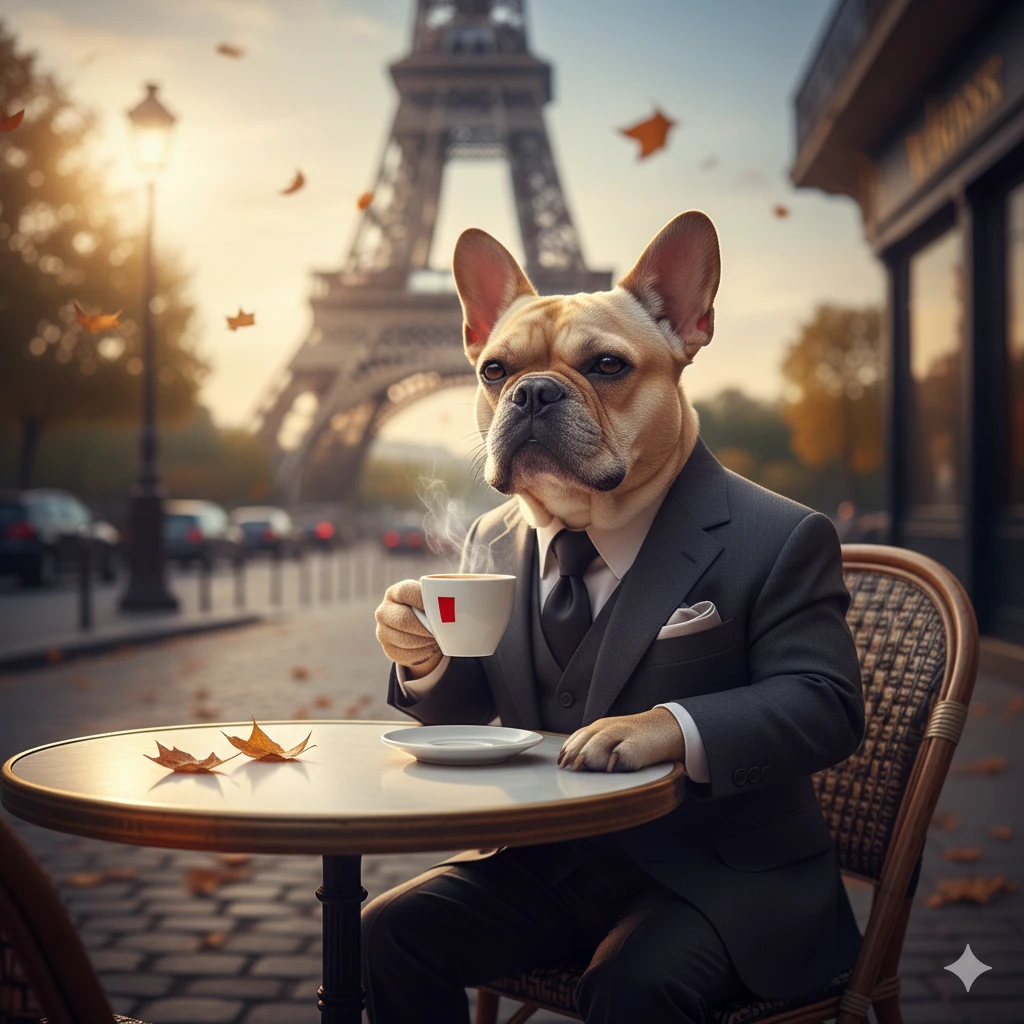
When you enter this prompt into Nano Banana 2, you will get a stunning, cinematic quality masterpiece ready for an advertisement! This is the key step in transforming from AI art beginner to master.
How to Use Nano Banana 2 on nano-banana.io
Now that you've mastered the theory, it's time for practical application! The most seamless platform to experience Nano Banana 2 is nano-banana.io. Here is the foolproof, step-by-step guide:
Step 1: Access the Platform
Click here for direct access: Direct Access Link to Nano Banana.
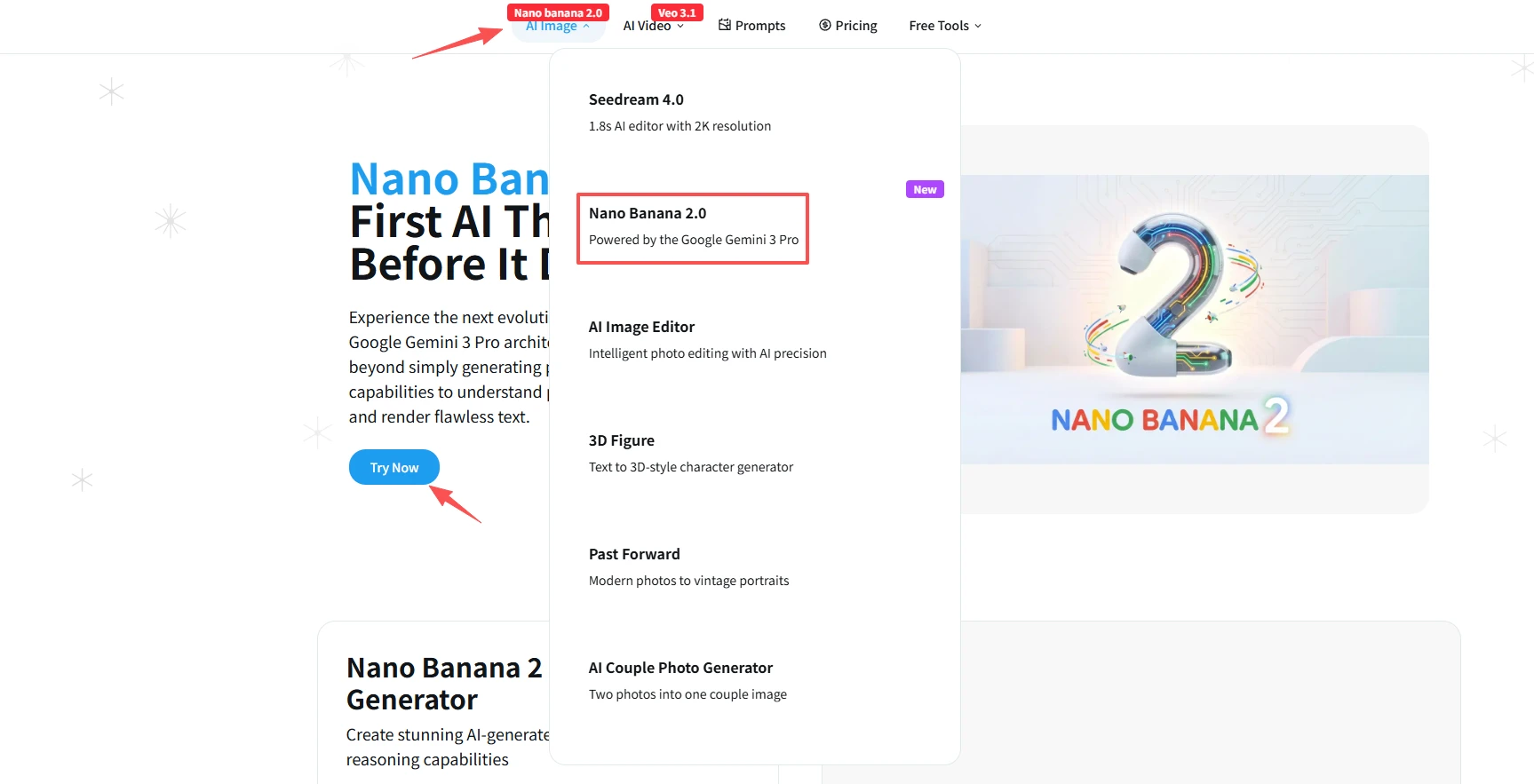
Step 2: Select Mode
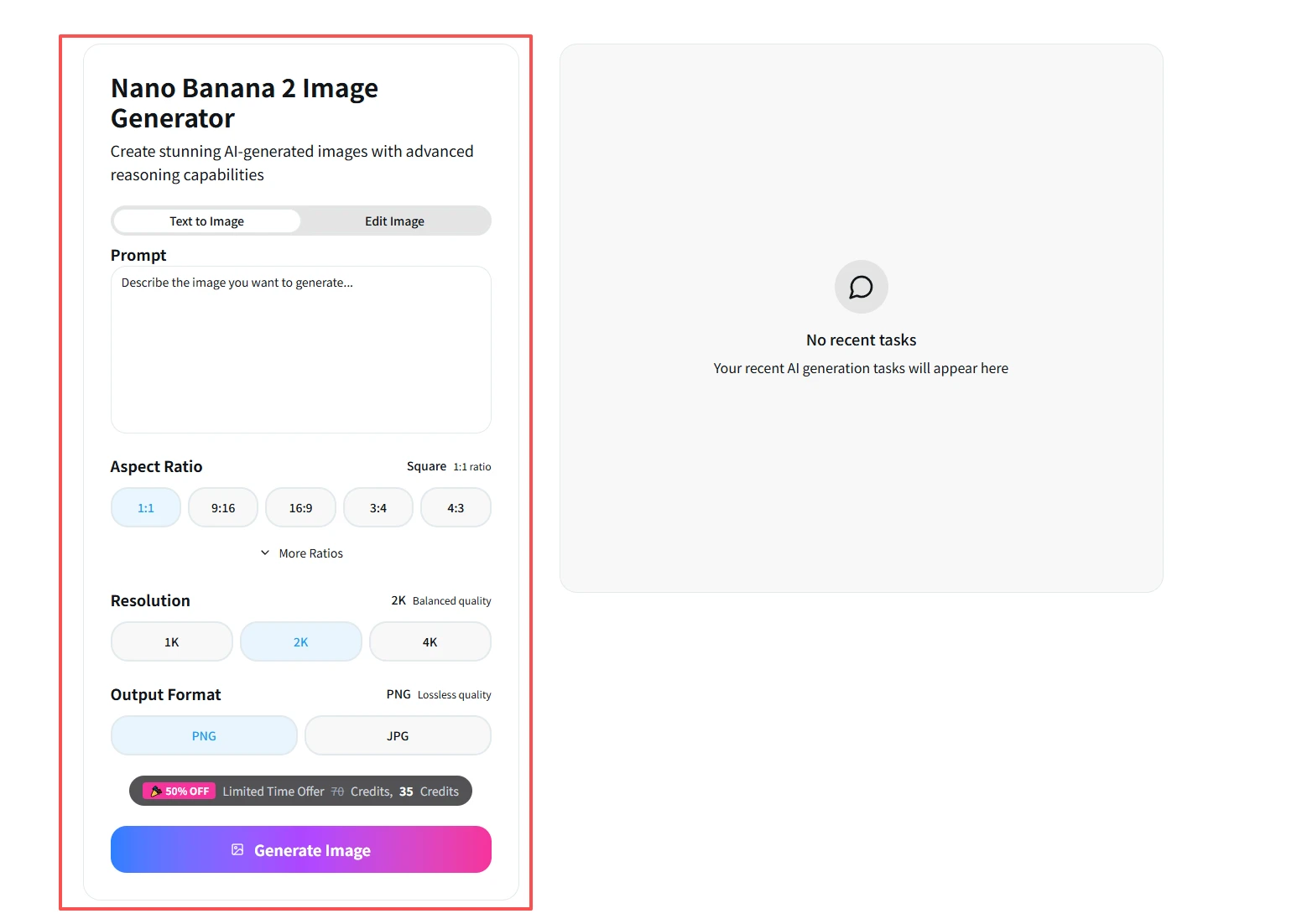
On the interface, ensure you select the "Image Generation" mode. If you want to modify an existing image, select "Image Editing" and upload your base image.
Step 3: Input Your "Spell"
In the input box at the bottom, enter the detailed prompt containing the 5 Golden Rules that you just learned.
- Pro Tip: Although it supports Chinese, using English prompts often yields more precise detail control.
Step 4: Edit and Fine-Tune
If the generated image is too dark, do not re-generate. Simply enter a conversational command in the chat: "Make the lighting a bit brighter" or "Change the tie to red." Nano Banana 2 will precisely modify only the parts you mentioned, keeping the rest of the image intact.
Conclusion
Nano Banana 2 is not just a generator; it's your creative visual engine. Starting today, force yourself to use the "5 Golden Principles" formula when prompting. You will find that you have successfully eliminated "broken" art and completed the transformation from AI art beginner to master.
Ready to start creating? Click on the Direct Access Link to Nano Banana now and use the techniques you learned to generate your first cinematic quality masterpiece!