🎁New Users Get Free Credits Upon Registration
AI Image Generator
0

Drag & drop images here or click to browse

Supports JPG, PNG, WEBP (Max 24MB each)

You can upload up to 5 images

0
6Credits
Loading...

Loading...

PROMPT

Create an ORIGINAL premium 16:9 hero-reveal poster for a fictional hero-shooter character. Style: top-tier modern hero-shooter promotional key art, hyper-polished splash art, crisp comic/anime-game hybrid rendering.

One AI Image Generator. Every Top Model. One Prompt Box.

Most AI image generators lock you into a single model. If it's strong at photorealism but weak at typography, you're stuck. If it handles characters well but struggles with product shots, you're stuck. This AI image generator brings together the leading text-to-image models — Nano Banana, Midjourney, Flux, Seedream, GPT-4o, Grok, Ideogram, Recraft, and Stable Diffusion — into a single interface. You write your prompt once, pick the model that fits the job (or let us auto-select), and get the result. No juggling between five tools, five subscriptions, five prompt formats.

Nano Banana 2Nano Banana 2
Nano Banana ProNano Banana Pro
Nano BananaNano Banana
Flux 2 ProFlux 2 Pro
Seedream 5.0 LiteSeedream 5.0 Lite
Seedream 4.0Seedream 4.0
Grok ImagineGrok Imagine
GPT Image 1.5GPT Image 1.5

What You Can Make with This AI Image Generator

Five real workflows people open this tool to do — find the one closest to yours.

Generate Product Shots in Any Scene You Need

For Shopify sellers, Etsy shops, Amazon FBA, DTC brands

You need lifestyle imagery for product listings, Black Friday ads, Instagram grids, and email banners — and you need it now. Hiring a product photographer takes two weeks and costs $800. Describe the product and the scene you want. The AI image generator handles the rest. Generate 20 scene variations in the time it takes to drink a coffee.

Prompt

A minimalist white moisturizer bottle with gold lettering, sitting on a marble bathroom countertop next to eucalyptus leaves, soft morning light from the left, lifestyle product photography

Seedream and Flux are strong choices for clean commercial product shots.
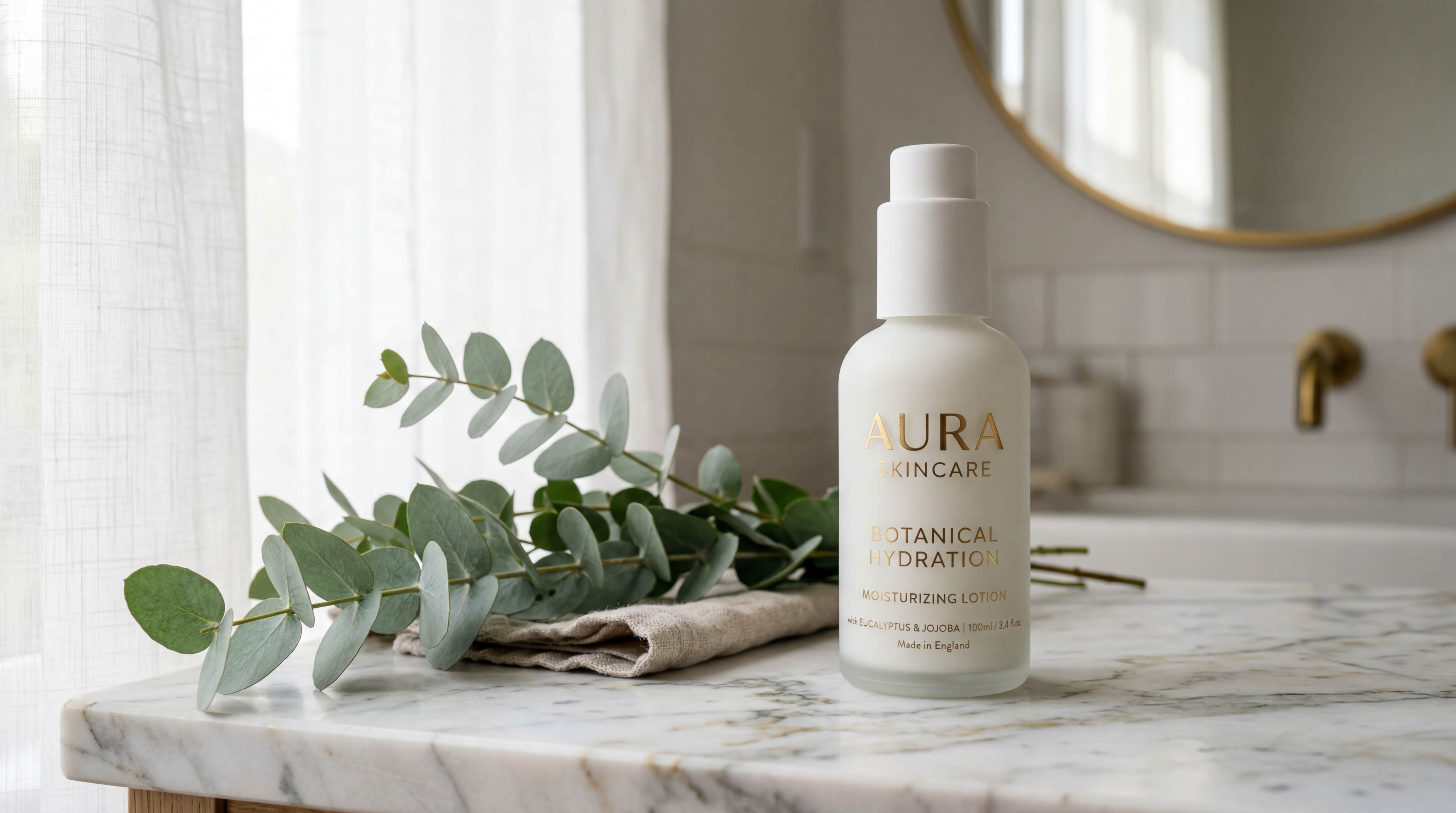
Minimalist white moisturizer bottle on a marble bathroom countertop

Spin Up Ad Creative Variations Without a Design Queue

For marketers, growth teams, solo founders running paid social

You're testing a new Meta ad and need 15 creative variations by tomorrow. Different scenes, different moods, different value props visualized. Your in-house designer is booked through next month. Use the AI image generator as a creative multiplier — change one detail at a time and 100 ad variants becomes a one-hour task.

Prompt

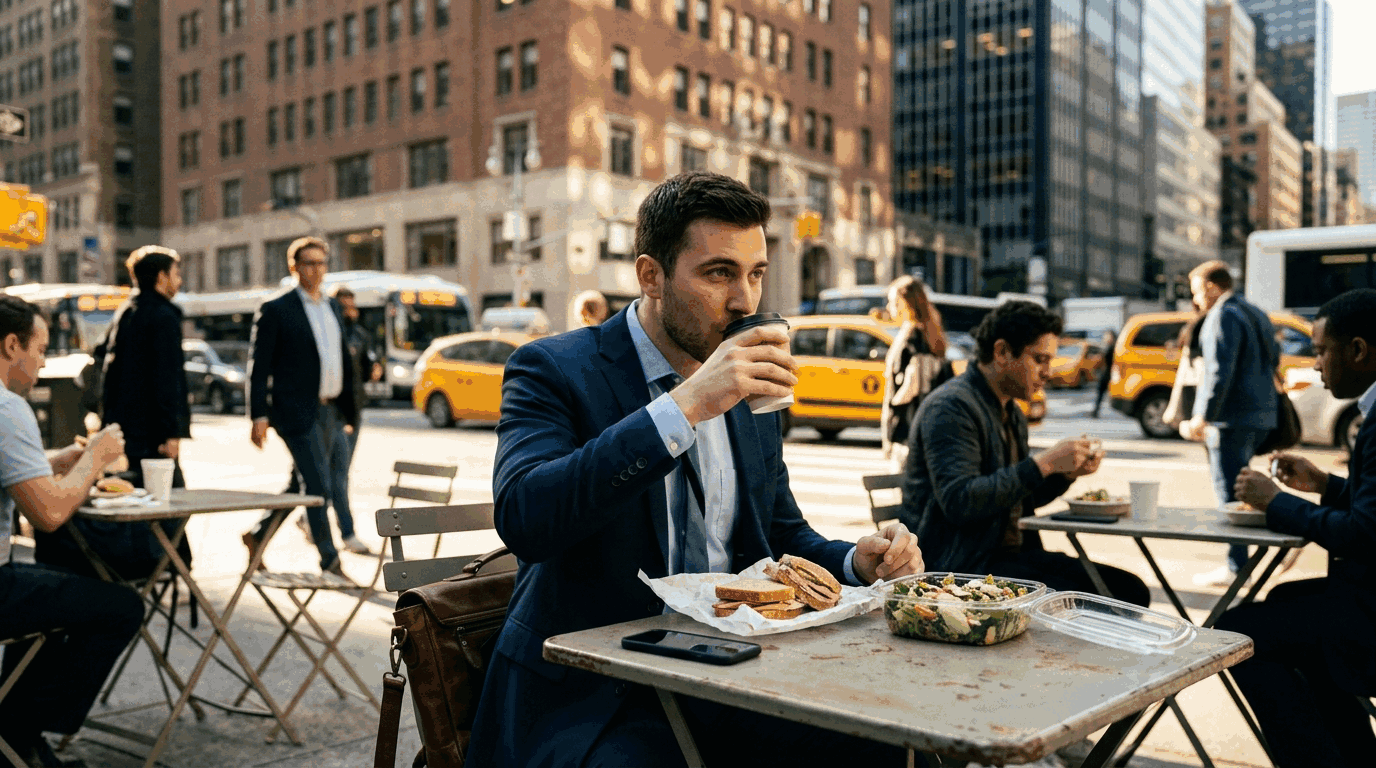
A male office worker in a suit drinking coffee at an outdoor cafe on a busy city street during lunch break, yellow taxis in the background, cinematic, warm tones, documentary style

Midjourney works especially well for moody, cinematic ad creative; Flux is often preferred when you want results that look like real photos rather than stylized art.

A businessman in a suit drinking coffee at an outdoor city cafe during lunch

Create a Character That Stays the Same Across Every Scene

For storytellers, indie game devs, comic creators, children's book authors, AI influencer builders

This is where most AI image generators fall apart. You design a character — say, a young girl with red curly hair and a yellow raincoat — and every scene draws a slightly different girl. The fix is picking a model built for character consistency. Define your character in detail, then generate her across as many scenes as you need. A 30-page picture book becomes a one-afternoon project.

Prompt

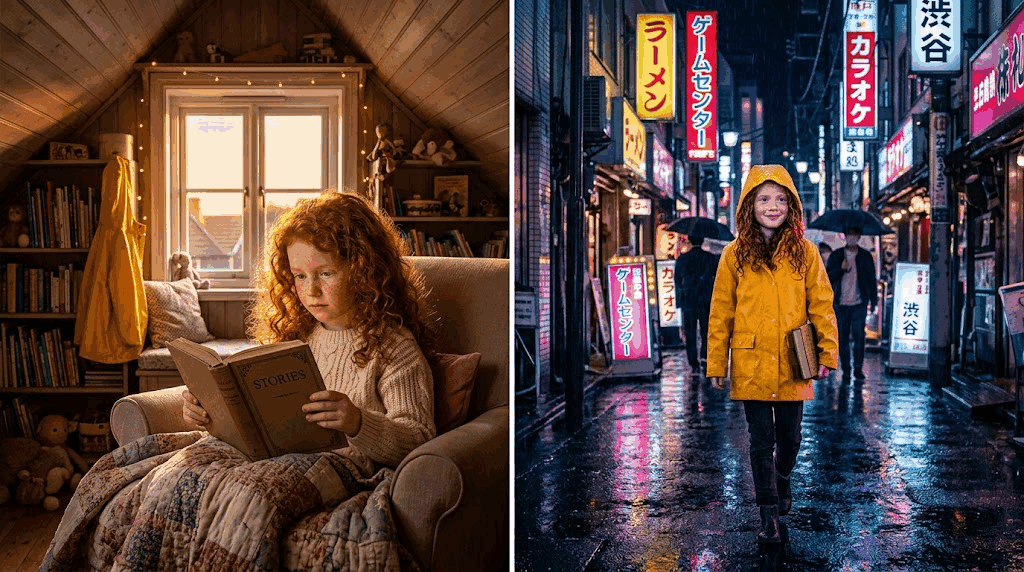
A young girl with red curly hair, yellow raincoat, green eyes, freckles. Scene 1: reading a book in her attic bedroom, golden hour light. Scene 2: walking through a rainy Tokyo alley at night, neon reflections.

Nano Banana and Flux Kontext are both strong choices for character consistency.

A young girl with red curly hair in a yellow raincoat, shown in two scenes: reading in an attic and walking a rainy Tokyo alley

Replace Generic Stock Photos with Images That Actually Fit

For content writers, content marketers, course creators, SaaS website builders

Stock photos have two problems: they're generic, and they never quite match what you're writing about. Describe what you actually need in plain English and the AI photo generator builds it from scratch. You get a photorealistic AI image that matches your article tone exactly — and it's yours, not used by 10,000 other sites.

Prompt

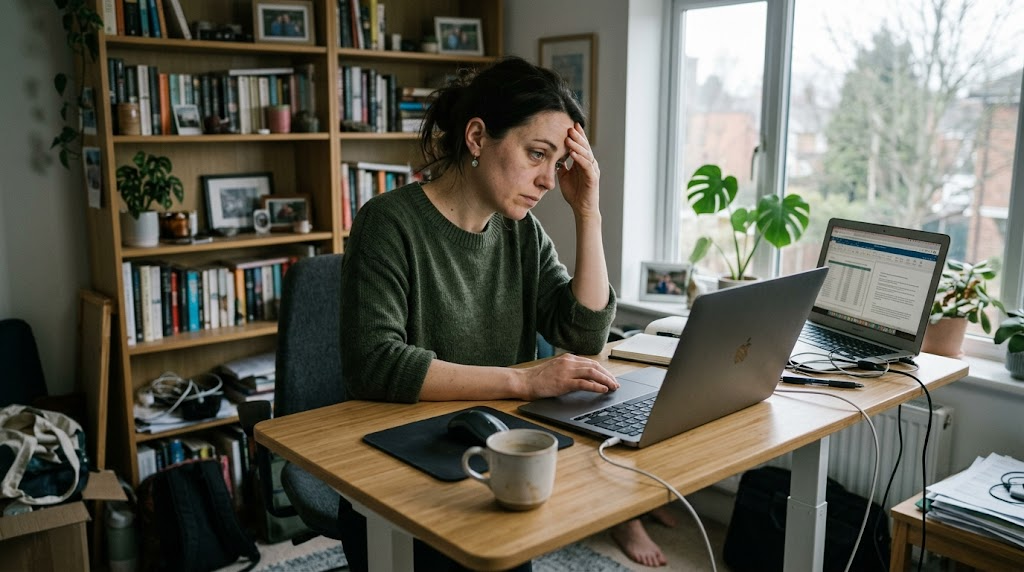
A woman in her 30s at a standing desk, looking at her laptop with tired focus, natural window light, home office in the background, documentary photography style, muted colors, not staged

Flux and Seedream are typically the best picks here.

A woman in her 30s at a standing desk in a home office, looking at her laptop with tired focus

Create Illustrations, Posters & Visual Art from a Sentence

For bloggers, newsletter writers, course creators, social creators

You want a hero illustration that doesn't look like every other stock image. Describe what you see in your head. The same prompt pattern works for Substack headers, course thumbnails, posters, album covers, social tiles, and worldbuilding moodboards.

Prompt

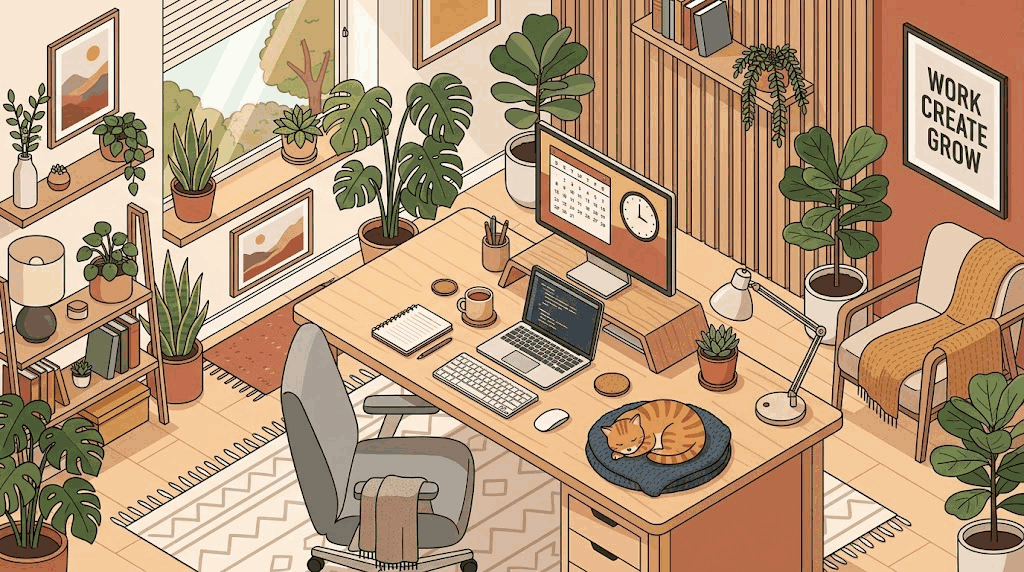
Flat illustration, isometric view, a cozy home office with a cat sleeping on the desk, plants, warm color palette, minimalist style

Midjourney is often preferred for painterly and artistic styles; Recraft is a strong choice for vector and flat illustration; Ideogram works especially well when your design needs readable text built into the image.

Flat isometric illustration of a cozy home office with a cat sleeping on the desk

Which AI Model Should You Pick? A Quick Guide

The advantage of this AI image generator is that you're not stuck with one model. Here's which one to reach for first.

Nano Banana

Strong for

Character consistency, precise prompt following

Pick it when

You need the same character across multiple scenes, or your prompt has many specific details that all need to land

Midjourney

Strong for

Artistic, painterly, cinematic visuals

Pick it when

You want something that looks impressive out of the box — mood pieces, fantasy art, posters, album covers

Flux

Strong for

Photorealism, accurate human anatomy, text rendering

Pick it when

You need a realistic AI photo that doesn't look "AI-generated" — portraits, lifestyle scenes, real-world products

Seedream

Strong for

Commercial photography, clean lighting, vibrant color

Pick it when

You're making e-commerce imagery, fashion shots, or polished marketing visuals

GPT-4o

Strong for

Concept-heavy prompts, instructions that read like paragraphs

Pick it when

Your prompt needs the model to "understand" complex ideas, references, or world knowledge

Grok

Strong for

Edgy, creative, meme-style generations

Pick it when

You want a model with fewer style guardrails

Ideogram

Strong for

Text inside images — logos, posters, signs, slogans

Pick it when

Your image needs a word or phrase rendered cleanly and correctly

Recraft

Strong for

Vector graphics, icons, flat brand illustration

Pick it when

You need scalable, design-ready output instead of a raster photo

How to Generate an AI Image

You don't need to be a prompt engineer. Three steps:

1

Write your prompt

A good prompt names five things: subject (what's in it), setting (where it is), style (photorealistic, anime, oil painting…), lighting (golden hour, studio, moody), and mood or detail (cinematic, minimalist, cozy). Weak: "a cat." Strong: "a fluffy orange tabby cat sitting on a wooden windowsill at golden hour, soft natural light, shallow depth of field, photorealistic, 85mm lens." Stuck? Click ✨ Enhance Prompt and the tool expands a short phrase into a detailed one.

2

Pick a model and settings

Choose a model based on your goal (see the guide above), or leave it on Auto. Pick an aspect ratio based on where the image will live — 1:1 for Instagram, 16:9 for blog headers and YouTube thumbnails, 9:16 for Stories and TikTok. Decide how many variations to generate.

3

Generate and download

Click Generate Image. Results come back in 6–12 seconds. Save the image you like in PNG, JPG, or WebP, and you're done.

Frequently Asked Questions

1

Can AI-generated images be used commercially?

On any paid plan, yes — you can use generated images in ads, websites, products, client work, merchandise, YouTube videos, and printed materials without additional licensing. Free-tier generations are best for personal use and testing. One note: because AI image generators work from shared training data, exclusivity isn't guaranteed — in theory, two users with similar prompts could get similar results. For logo and core brand work, treat AI output as a starting point and customize from there.

2

How long does the AI image generator take?

Usually 6–12 seconds per image, depending on which model you pick. Faster models like Flux and Seedream are at the lower end; higher-quality runs and Midjourney sit closer to 10–12 seconds. Generating multiple variations at once adds a few seconds.

3

How do I write a good AI image prompt?

A good prompt answers five things about your image: what is in it, where it is, what style it's in, how it's lit, and what mood it has. Instead of "a cat," write "a ginger tabby cat sitting on a windowsill at sunset, soft backlight, shallow depth of field, photorealistic, 85mm lens." Two power-user tips: name a camera lens (35mm, 85mm, wide-angle) to control perspective, and name the lighting (golden hour, studio, volumetric, neon rim light) to control mood. Keep prompts under three sentences for most models. If you're stuck, the built-in Enhance Prompt button turns short ideas into detailed, model-ready prompts automatically.

4

How do I make AI-generated images look realistic instead of "AI-looking"?

Three things fix the telltale AI look. First, pick a realism-first model — Flux and Seedream are typically the strongest here. Second, name a camera lens and lighting setup in your prompt (e.g., "shot on Canon 5D, 50mm lens, natural window light"). Third, include realistic imperfections on purpose — "visible skin pores, uneven lighting, slight motion blur, film grain." AI models default to hyper-smooth, perfectly-lit results, which is exactly what makes images look synthetic. Adding small "flaws" pulls them back toward looking like real photographs.

5

How do I generate the same character consistently across multiple images?

Character consistency used to be nearly impossible with older AI image generators — the "same" character would look different in every scene. The fix is using a model built for identity preservation. Nano Banana and Flux Kontext are typically the strongest for this. The workflow: define your character in detail in the first prompt (hair, eyes, outfit, distinguishing features), generate a reference image you're happy with, then describe each new scene while keeping the character description identical. Done right, you can generate 30+ scenes with visually consistent characters — enough for a comic, picture book, or AI influencer feed.

6

How do I generate AI images with readable text (logos, posters, signs)?

Most AI image generators butcher text — letters come out garbled or misspelled. Two things fix it. First, use a model built for typography — Ideogram is typically the strongest, with Flux as a solid backup. Second, put the exact text in double quotes inside your prompt (e.g., poster with the word "FOCUS" in bold sans-serif) and keep it short — under 25 characters tends to render most reliably. Longer text strings rarely come out clean on any model.

7

What is the best AI image generator in 2026?

The honest answer is that it depends on what you're making. For photorealistic photos, Flux and Seedream are typically the strongest. For artistic and stylized imagery, Midjourney is often preferred. For character consistency and prompt accuracy, Nano Banana is a strong choice. For text inside images, Ideogram stands out. That's why this AI image generator gives you access to all of them in one place — instead of paying for five subscriptions and learning five different tools, you pick the right model for each job from one prompt box. If you want a single starting point: try Auto mode first and let the tool decide.

8

What aspect ratio should I use for AI images?

Match the ratio to where the image will live: 1:1 for Instagram feed posts and profile images, 9:16 for Instagram Stories, Reels, TikTok, and YouTube Shorts, 16:9 for YouTube thumbnails, blog headers, and desktop wallpapers, 4:5 or 3:4 for Pinterest and portrait social posts, 3:2 for print and photography, 2:3 for book covers and phone wallpapers. Pick the ratio before generating — AI image generators compose the scene around the frame, so resizing after the fact tends to hurt the composition.

9

Does the AI image generator work on mobile?

Yes. It runs in any modern mobile browser on iOS and Android — no app install needed. Typing prompts is a little slower on mobile, but generation speed is the same as desktop.